Company & VAT details
Oblifee captures your company and tax details so your invoices are correct and VAT is applied properly. You enter them alongside your card, and they carry through to every invoice and renewal.
What you enter
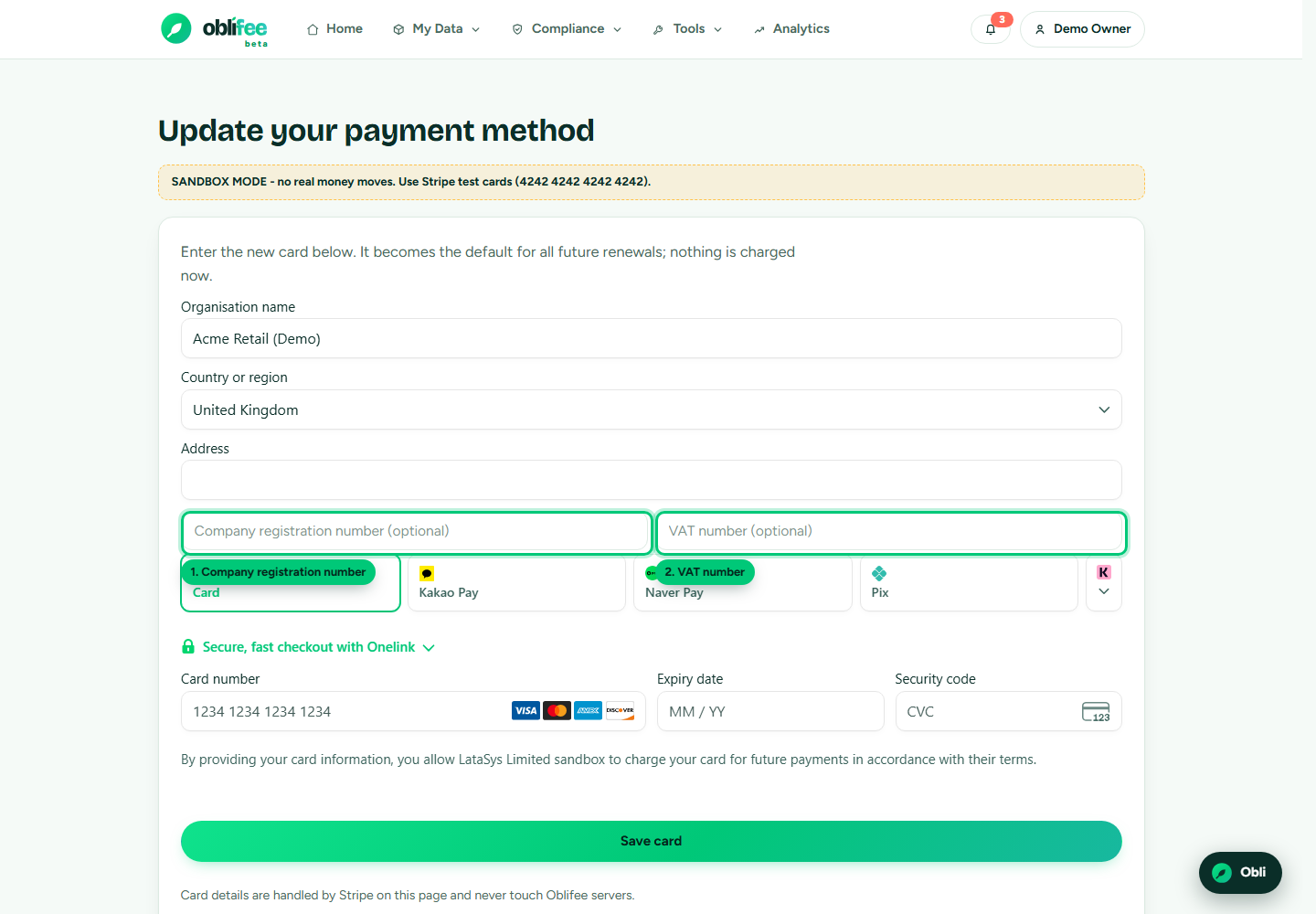
On the card page you provide:
| Field | What it is | Required |
|---|---|---|
| Business name | Your registered business name | Yes, for a proper invoice |
| Registered address | Your business address, including country | Yes |
| Company registration number | Your companies-registry number, where you have one | Optional |
| VAT number | Your VAT (or equivalent tax) registration number | Optional |
These are saved onto your billing record before your card is confirmed, so the very first invoice already carries them.
How VAT is applied
Oblifee prices are quoted exclusive of VAT — the numbers on the Plans & modules page are the net prices. VAT is then added automatically on top, using Stripe Tax, based on:
- the country in your business address, and
- the VAT number you provide, if any.
Your VAT number is attached to your billing record as a tax ID of the right type for your country — for example UK VAT, an EU VAT number, or the relevant equivalent elsewhere. That lets tax be calculated correctly for where your business is based, and the number is printed on your invoices.
:::info Why the renewal figure includes VAT Because VAT is added on top, the "renews on / amount" figure on your Billing page is the VAT inclusive total. The tax portion is shown in brackets so you can see both. See how that figure is derived. :::
Why these details appear on invoices
Your business name, address, registration number and VAT number are printed on every invoice so that:
- the invoice is a valid record for your own accounts and tax return;
- VAT is charged at the correct rate for your location; and
- a VAT-registered business can reclaim the VAT where eligible.
Keeping them accurate means your invoices need no manual correction later.
Keeping them up to date
You can re-enter your company and VAT details any time you add or update your card on the card page. The latest details you save are used for future invoices.
Where to go next
- Payment methods — where you enter these details, alongside your card.
- Managing your subscription — how VAT feeds into your renewal amount.
- Plans & modules — the net prices VAT is added to.