Billing overview
Oblifee is a subscription. You choose a base plan, optionally switch on the compliance modules and capabilities you need, and manage all of it from a single Billing page. This page explains the shape of the model so the rest of this section makes sense.
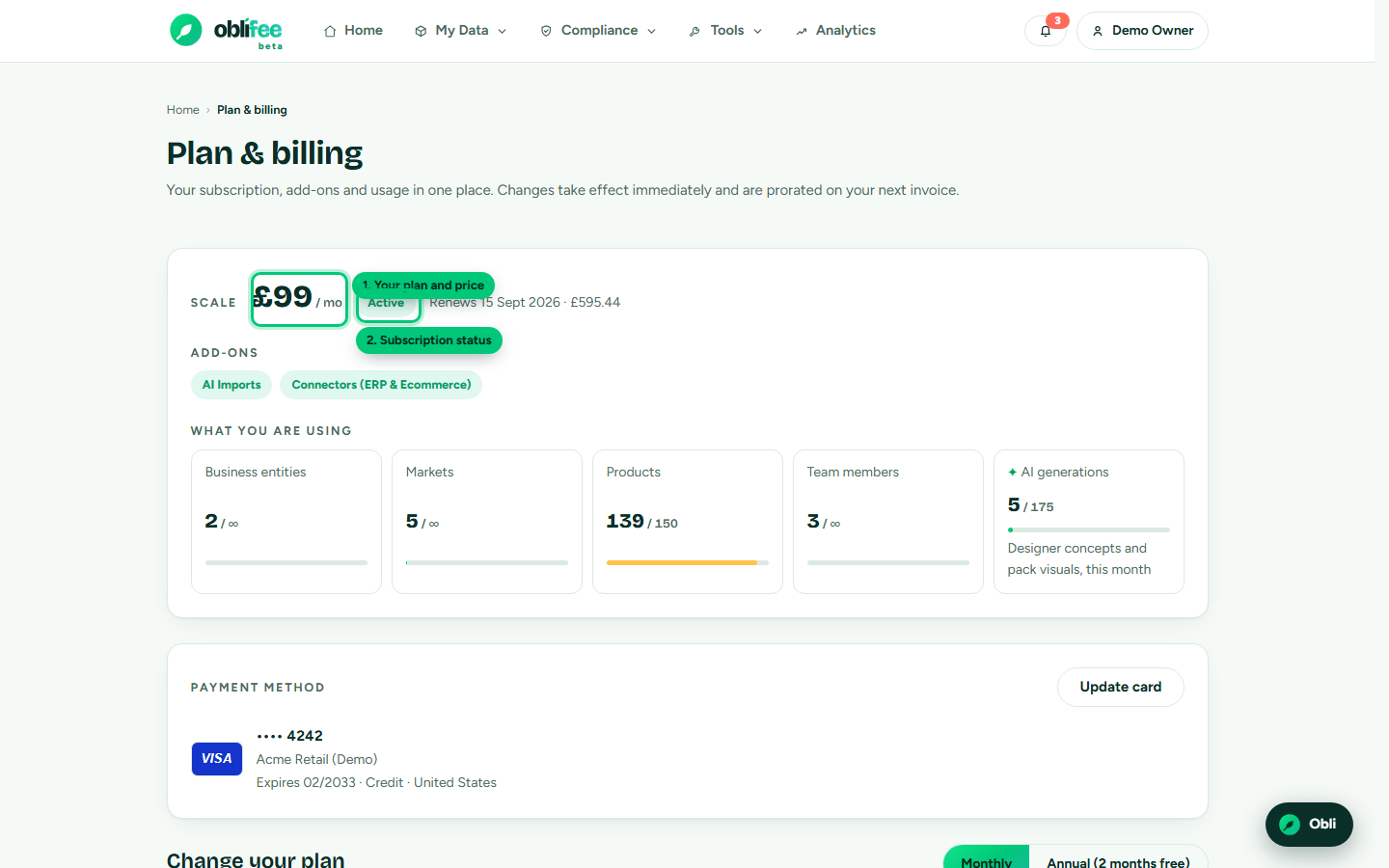
The model in one picture
- A base plan — Starter, Growth or Scale — sets your seat and capacity limits and includes Packaging EPR, the Packaging Builder and Obli, the built-in assistant. Every workspace has exactly one base plan.
- Compliance modules are add-ons that unlock a whole product area — Labelling, Recyclability (RAM), WEEE & batteries, Reporting & PPWR and the Consultant workbench. Switch on only what you need.
- Capabilities are add-ons that power a way of working — AI Imports and Connectors (ERP & ecommerce).
- Capacity packs raise a limit — more products, or more AI generations per month — without changing your plan.
Everything you switch on lands on one bill, monthly or annually.
:::info Beta: modules are free right now While Oblifee is in beta, every compliance module is switched on for every workspace, so you can use them all without buying the add-ons. When the beta ends, module access follows the add-ons you hold. See Billing during beta. :::
Prices and VAT
All prices are shown and charged in GBP, exclusive of VAT. Tax is added automatically at checkout and on every renewal, based on the company and VAT details you provide. See Company & VAT details.
Where to manage it
| You want to… | Go to |
|---|---|
| Choose your first plan | Portal → Set up (/portal/setup) |
| See your plan, usage, card and invoices | Portal → Billing (/portal/billing) |
| Change plan, cycle, modules or packs | Billing → Change plan |
| Add or update your card | Billing → Add / update card |
:::note Installed from Shopify? If you added Oblifee through the Shopify App Store, your subscription is billed and managed by Shopify. Your Billing page links straight into your Shopify admin for card and invoice management. See Managing your subscription. :::
Where to go next
- Plans & modules — the full price list and what each plan and module includes.
- Managing your subscription — change plan, add or drop modules, and how the renewal figure is worked out.
- Payment methods — adding and updating your card.
- Company & VAT details — what appears on your invoices, and how tax is applied.
- Billing during beta — what "beta" means for what you pay.