The compliance view
Every labelling check you run is recorded. The compliance log is the single place to see them all - across every product and market - so you can track what has been checked, what still has gaps, and how a pack's compliance has changed over time.
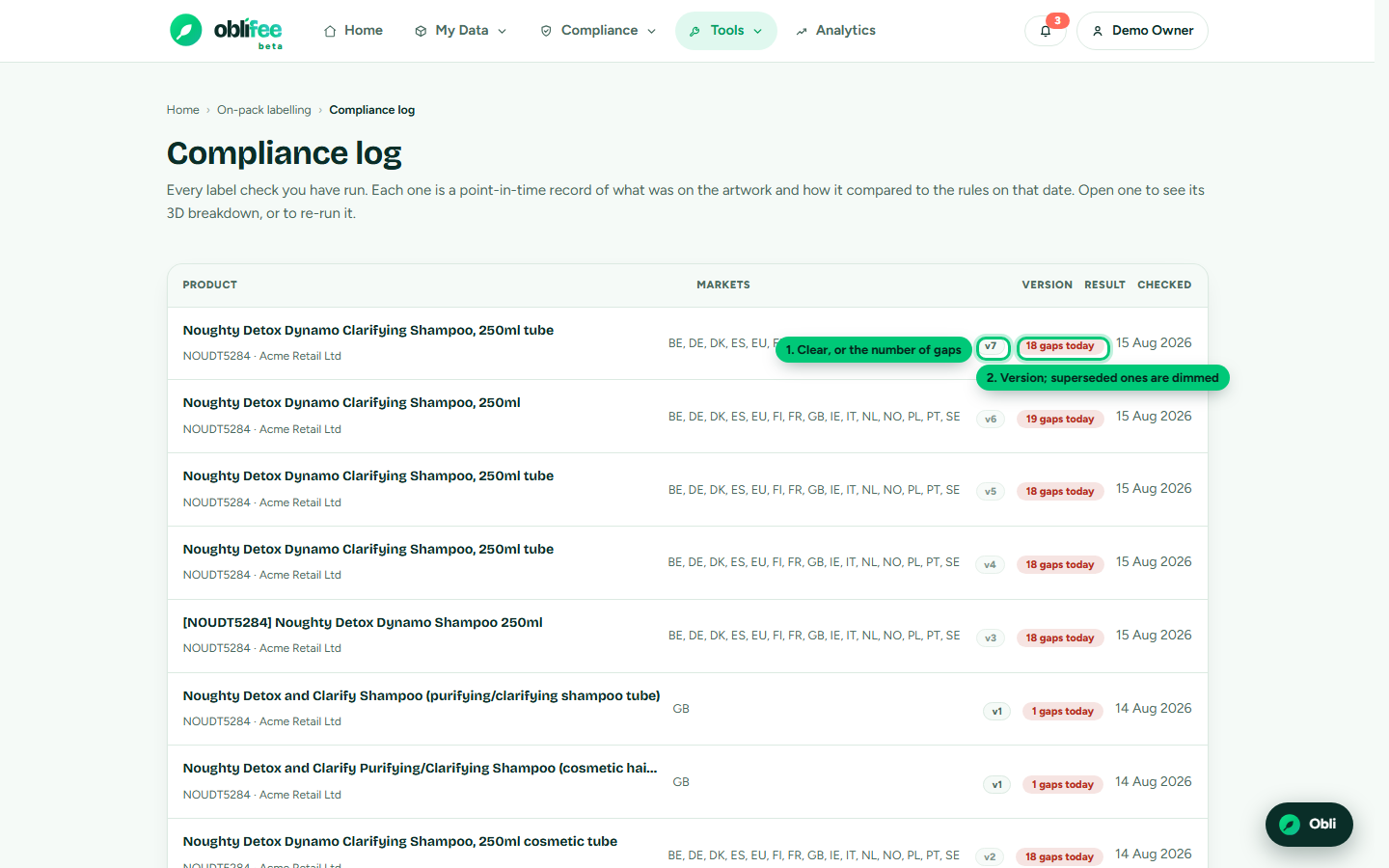
Finding it
The compliance log is reachable from the On-pack labelling page (the compliance overview card) and from the Labelling compliance quick link on your home board.
What the log shows
One row per check, newest first:
| Column | What it shows |
|---|---|
| Product | The product name, with its SKU and business. |
| Markets | The markets the check covered. |
| Version | The version number; superseded versions are dimmed. |
| Result | A green clear pill, or a coral pill with the number of gaps. |
| Date | When the check was run. |
Click any row to open its full result.
Versions and history
Checks are versioned per product and artwork set. When you re-run a check, the new run becomes the current version and the previous one is marked superseded - kept, never deleted. That gives you an audit trail:
- the current version shows today's position;
- superseded versions show what the pack looked like at each earlier point, and against which rules.
:::info Point-in-time by design Each version stores the exact requirement set it was evaluated against. Reopening an older check tells you whether the rules have moved since - so the log is not just a list of results, but a defensible record of what was required when. :::
Across products and markets
Because the log spans your whole workspace, it doubles as a portfolio view: scan it to see which products still carry gaps, which markets you have and have not checked, and where a re-run is due after a rule change. For the rules themselves, market by market, use the requirements explorer.
Where to go next
- Running a labelling check - start or open a check.
- Uploading artwork - re-run a check as a new version.
- On-pack labelling overview - the cited requirements behind every result.