Obligations & markets
The Obligations explorer is the full, cited rule set for the markets you operate in - every registration, report, fee payment and plan the brain holds, filterable and drillable. Where the other modules answer a specific question, this is the reference you open when you want to see the raw obligations behind the answers.
What the explorer shows
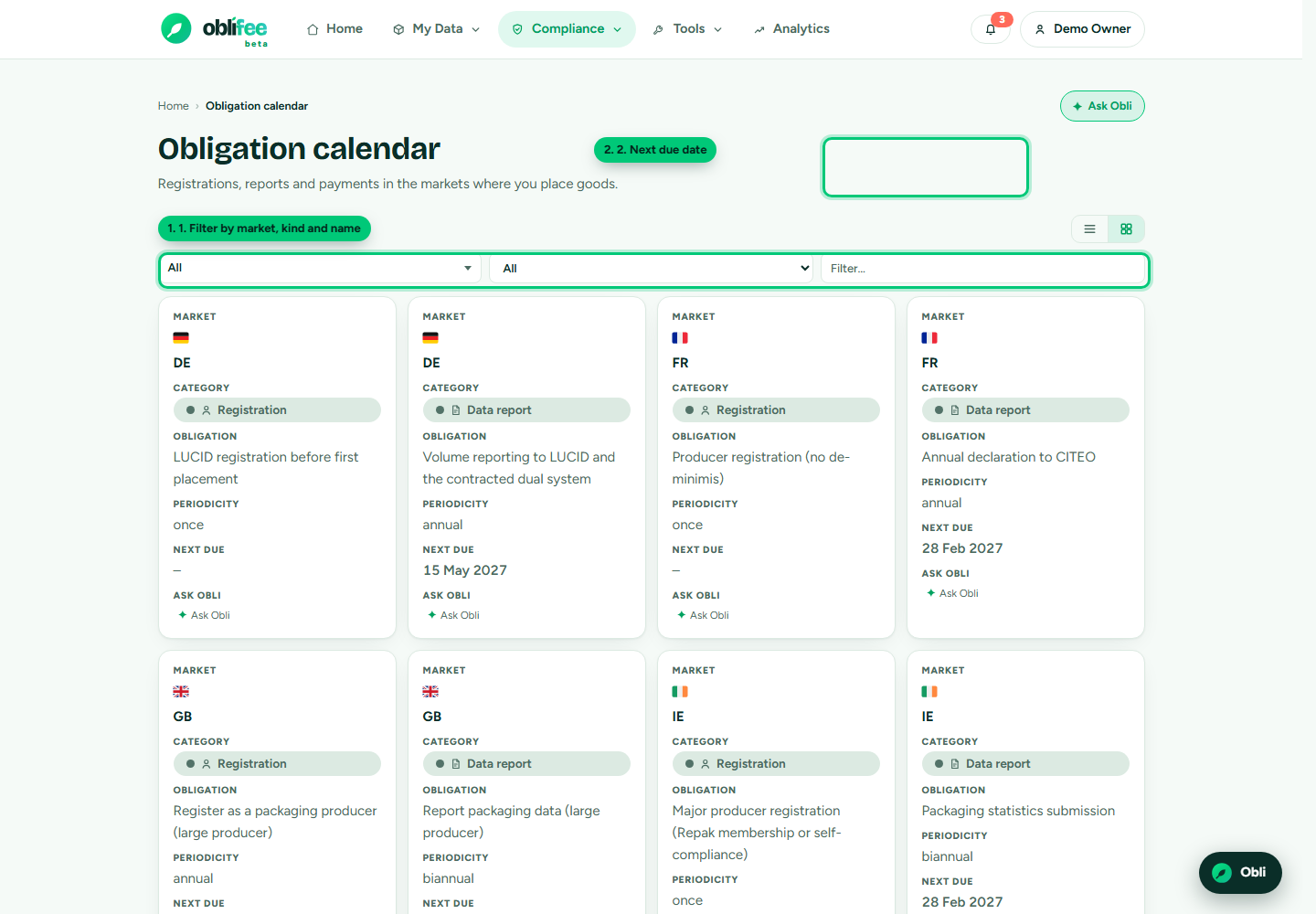
The explorer lists obligations for the markets in your workspace. Each row shows:
| Column | Meaning |
|---|---|
| Market | The nation or region the obligation applies to. |
| Category | The kind of obligation - registration, data report, fee payment, plan or threshold note. |
| Obligation | The obligation's name. |
| Periodicity | How often it recurs - annual, quarterly, one-off... |
| Next due | The next date it falls due, where the brain holds enough to compute one. |
You can filter by market, by kind, and by a free-text search on the name, then page through the results. Any row can be handed to Obli with one click to have it explained in plain language.
The kinds of obligation
| Kind | What it is |
|---|---|
| Registration | Registering as a producer with the market's regulator. |
| Data report | Submitting placed-on-market data to the scheme. |
| Fee payment | Paying the EPR fee for what you placed. |
| Plan | A required plan or declaration. |
| Threshold note | A threshold that changes what applies to you. |
What an obligation record contains
Behind each row, the brain holds a rich record - the same facts that feed the other modules:
- The kind and name.
- Timing: periodicity, and the due month and day or first-due date the next due is computed from.
- A threshold note - the size or volume at which the obligation bites.
- A legal reference and an explanatory note.
- Citations - links to the source rules, so every obligation can be traced.
:::info Your markets, by default The explorer is scoped to the markets you actually operate in - the ones in your recorded volumes. To see the rules for a market you do not yet ship to, browse the public coverage map or add a manual registration. :::
Drilling into a market and material
The companion Markets view lists the packaging fee rates for your markets - each market and material with its rate, unit and confidence status. Open any rate to see its detail:
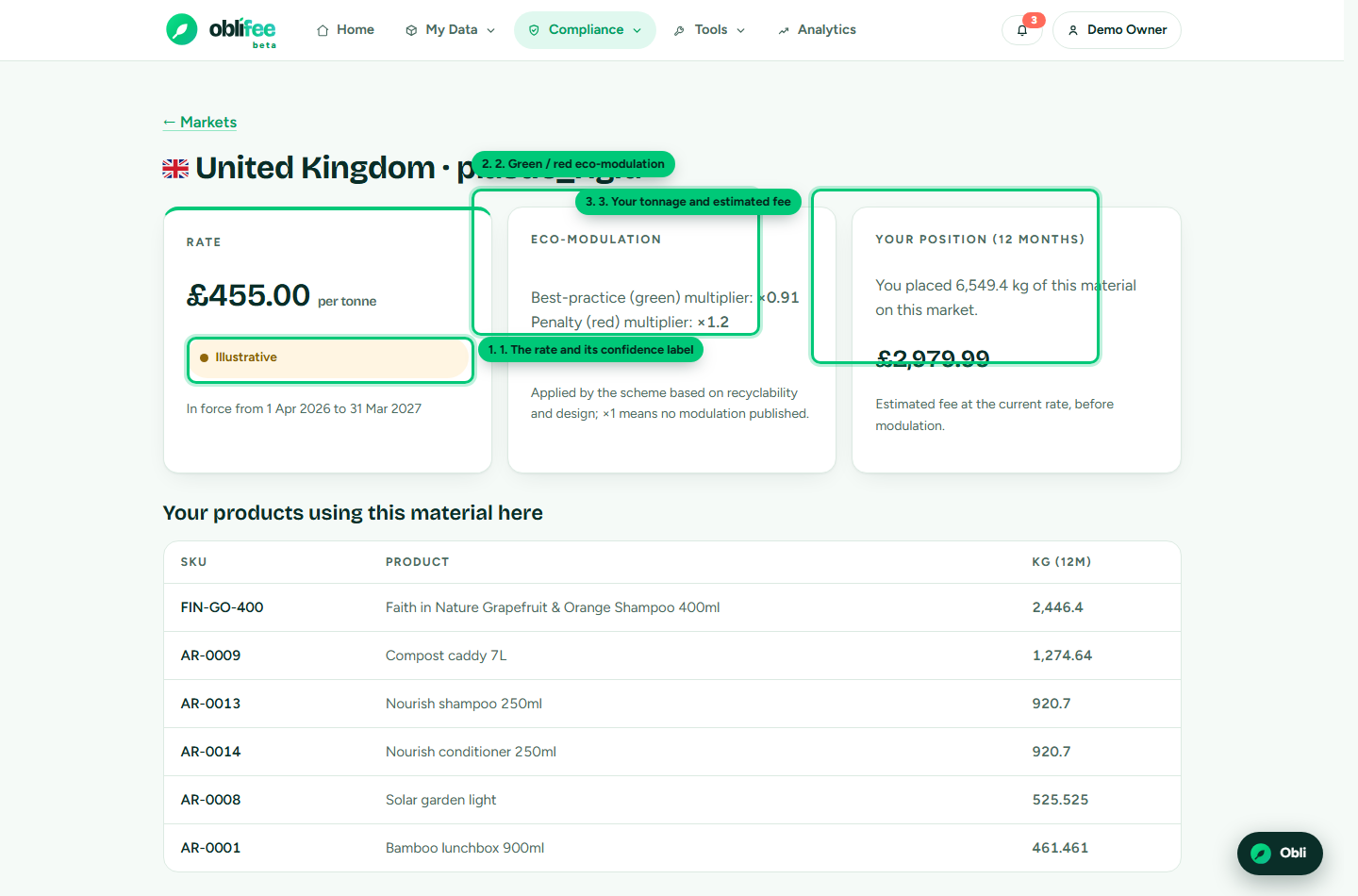
The detail page shows three things:
- The rate - the fee per unit, the period it is valid for, and its confidence status.
- Modulation - the green (reward) and red (penalty) eco-modulation multipliers that adjust the fee by how recyclable the packaging is.
- Your position - the tonnage of this material you placed on this market over the last 12 months, and the estimated fee it produces, with the top products driving it.
Where to go next
- Markets & coverage - which markets and streams Oblifee supports.
- Registrations - the registration obligations, with capture and export.
- The regulatory brain - where every obligation and rate comes from.
- Confidence & citations - how to read a rate's status.