Adding a registration manually
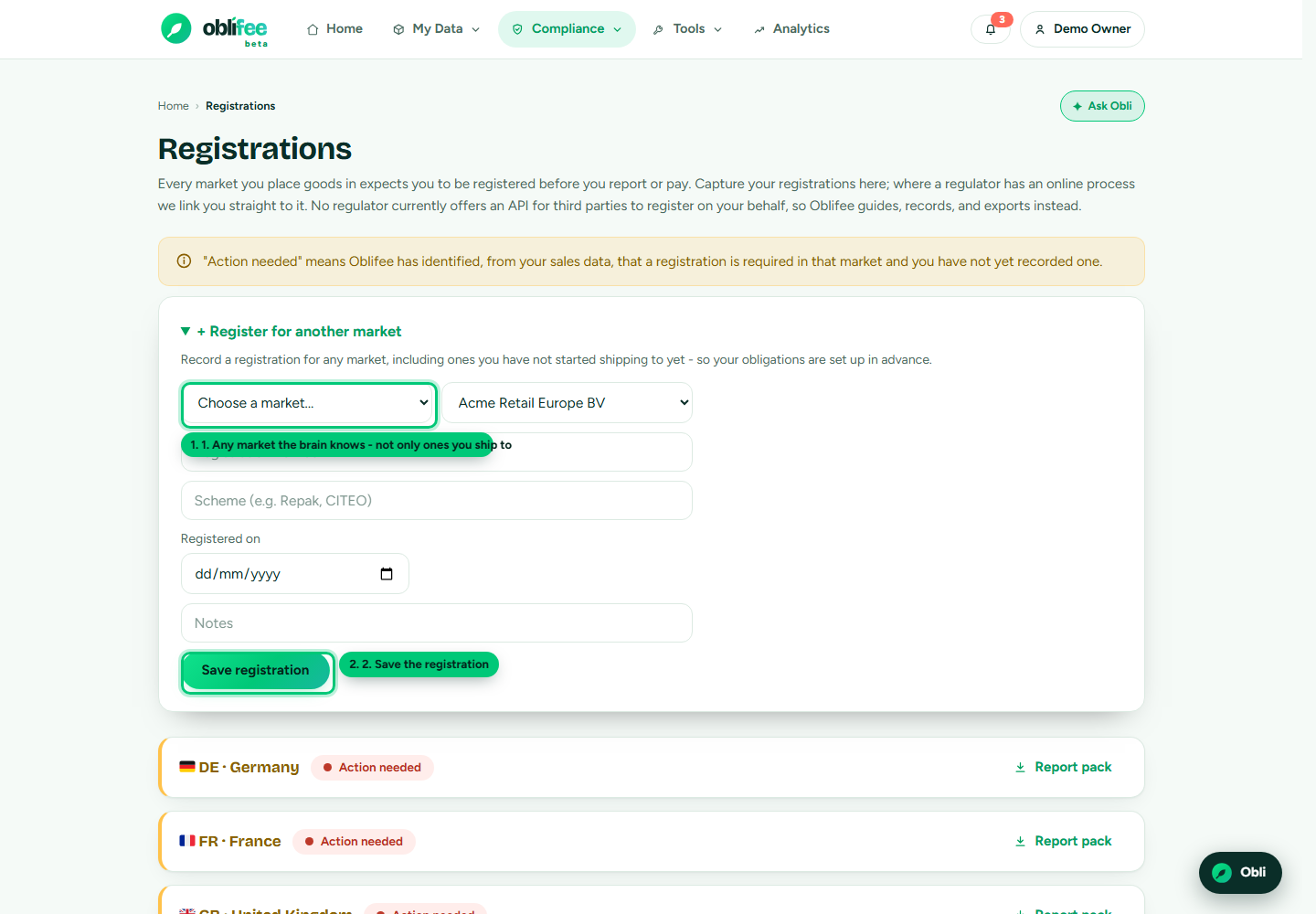
Oblifee detects the markets you must register in from the volumes you have recorded. But sometimes you register before you ship - you enter a new country, register as a producer, and only start placing goods later. The register for another market flow lets you record that registration straight away, so nothing is lost between registering and your first shipment.
When to use it
Use the manual add when the market is not yet in your list of shipped-to markets - so it does not appear as its own card. Once you start recording volumes for that market, it will also show up as a normal registration card, pre-filled with what you entered here.
:::note Who can add one You need edit rights in the workspace (owner or admin) to record a registration. Team members with read-only access can view registrations but not change them. :::
Steps
- Open Registrations from the portal.
- Expand the + add a registration panel near the top of the page.
- Choose the market. The list covers every market the brain holds a registration path for - not only the ones you already ship to.
- Choose the business the registration belongs to.
- Fill in what you have: registration number, scheme, the date registered and any notes. These are optional - you can record the intent now and complete the details later.
- Select Add. The market is now tracked as a captured registration.
What happens next
- The registration is stored against your workspace and the business you chose.
- Saving again for the same market and business updates the existing record rather than creating a duplicate.
- When volumes for that market start arriving, the market's own card appears and shows the details you entered here.
:::tip One record per market and business A registration is keyed by market and business. If two of your businesses register in the same market, record each separately by choosing the right business each time. :::
Where to go next
- Registrations overview - the page as a whole and how markets are detected.
- Obligations & markets - the requirements behind a market's registration.
- Markets & coverage - which markets you can register in.