Volumes
A volume records how many units of a product you placed on a given market in a given month. It is the quantity half of every fee: on its own, packaging is just a per-unit weight; multiplied by volume it becomes the tonnage a scheme charges you for. Volumes also decide which registration thresholds you have crossed. This page covers what a volume row holds and how to record them.
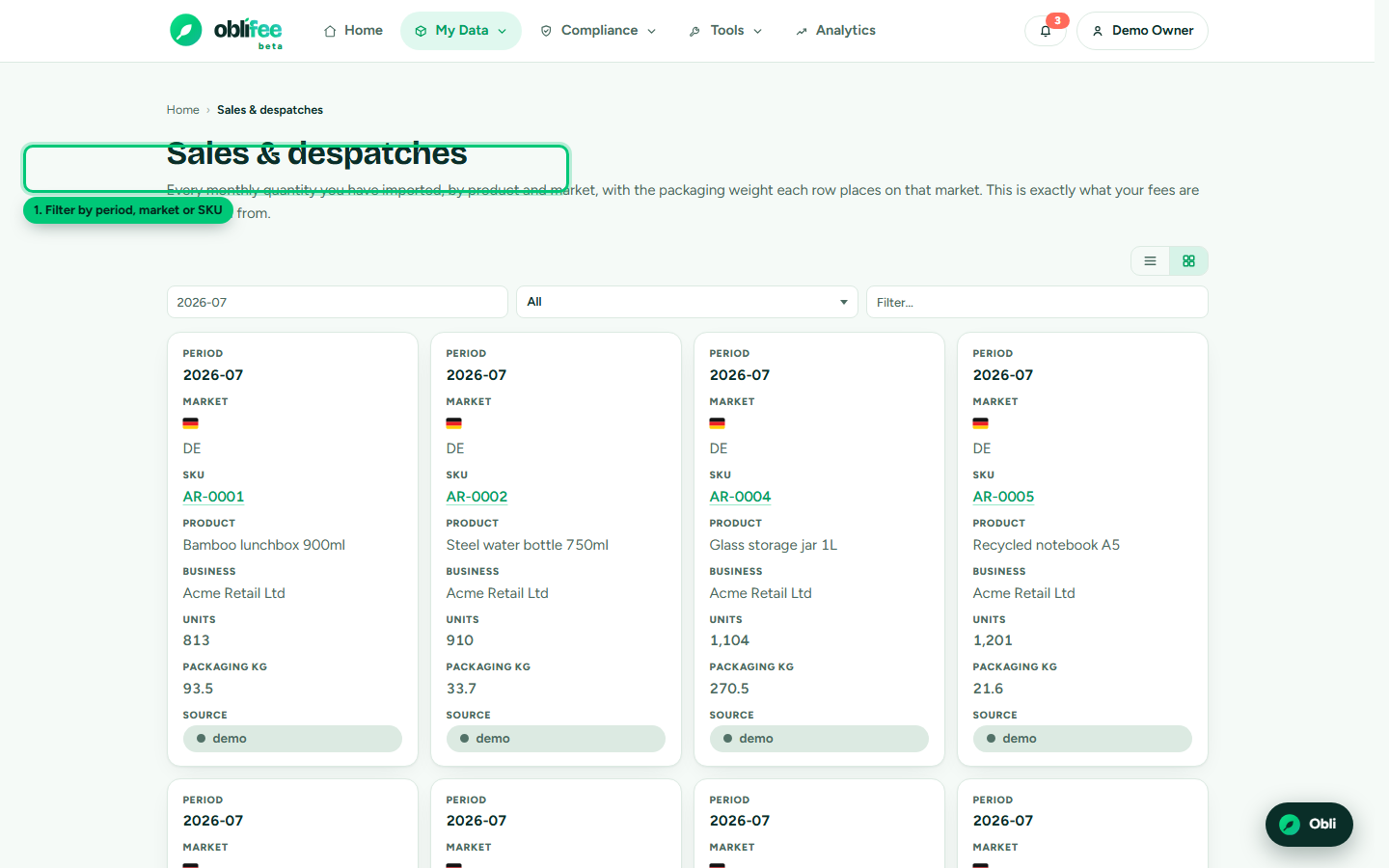
What a volume row holds
Each row is one product, on one market, for one month:
| Field | Meaning |
|---|---|
| SKU | The product placed on the market. |
| Market | The nation you placed it on, as a country code (e.g. GB, FR, DE). |
| Period | The month, written YYYY-MM (e.g. 2026-07). Volumes are monthly. |
| Quantity | How many units you placed - shipped or sold - in that market that month. |
| Source | How the row got here: manual, CSV, AI (mapped import) or ERP (a connector). |
The Volumes screen also shows the packaging weight each row contributes - the product's total component weight times the quantity - so you can see the tonnage building up, and filter by period, market or SKU.
Why volumes drive fees and thresholds
Two things depend directly on the quantities you record:
- Fees. Oblifee multiplies each product's packaging weight by its volume to get tonnage per material per market, then applies the cited rate. Under-record volume and you under-state your fee; over-record it and you over-pay. See Packaging EPR.
- Thresholds. Most EPR schemes only oblige you once you place more than a set tonnage or turnover on a market. Your recorded volumes are what Oblifee measures against those cited thresholds to tell you whether you must register. See Registration & thresholds.
Volumes are also how Oblifee knows a product's markets: recording a volume on a market is what puts that market on the product, which in turn selects the labelling rules and obligations that apply to it.
Recording volumes
For a few rows, enter them by hand; for a catalogue, import or sync them.
- Make sure the product exists - volumes attach to it by SKU.
- Record the quantity for each market and month you placed stock.
- Keep them current each period, so your position and thresholds stay accurate.
The lowest-effort path is a connector: Shopify and Squarespace both
push roughly a year of monthly shipped volumes automatically, by shipping country, and keep them
updated nightly. For one-off history, the CSV import loads a volumes sheet in one pass.
:::warning Avoid double counting If a connector starts managing a product you had also been loading volumes for by hand, you can end up counting both. Oblifee flags this and offers a de-duplication step so the connector's data stays the single source of truth - see Bulk import. :::
Where to go next
- Packaging - the per-unit weights volumes are multiplied by.
- Registration & thresholds - what volumes are measured against.
- Bulk import - load volume history from a spreadsheet.
- Integrations & API - keep volumes current automatically.