REST API
The REST ingestion API lets an ERP or any custom system push data straight into Oblifee. It accepts the same three datasets as the CSV import - products, packaging and volumes - and is authenticated with a scoped bearer token you generate per workspace, and can revoke or rotate at any time. This is part of the Connectors (ERP) add-on.
Generating a token
Tokens are created from the import centre and shown once:
- In Oblifee, open Imports and the connectors panel.
- In the ERP entry (for example Odoo), choose new token and give it a platform label.
- Oblifee shows the raw token once. Copy it now - it is never displayed again, and Oblifee stores only a hash, so it cannot show it to you later.
- Paste it into your ERP connector's configuration.
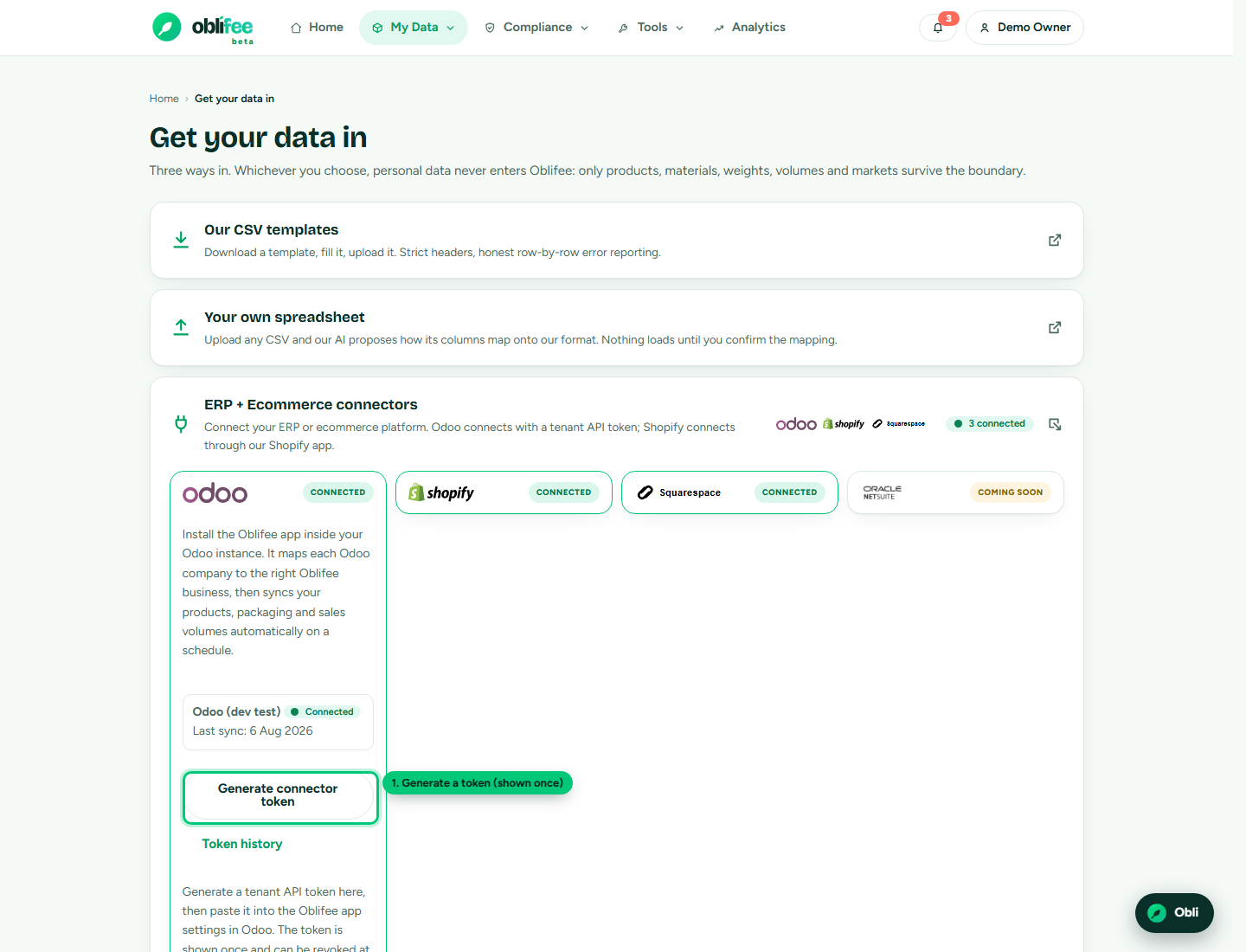
:::warning Shown once The raw token appears a single time when you create it. If you lose it, you cannot recover it - replace the token (below) to mint a fresh one. :::
A token carries the identity of the workspace it was created in. Every call it makes is scoped to that workspace, and Oblifee enforces the same isolation as the rest of the platform.
Authentication
Send the token as a bearer token on every request:
Authorization: Bearer obl_xxxxxxxxxxxxxxxxxxxxxxxxxxxxxxxx
A request with a missing, unknown or revoked token is rejected. The connector also requires an active Oblifee subscription with the ERP add-on; without it, calls are refused with a message pointing you to manage your plan.
Endpoints
The API is rooted at /api/erp.
| Method | Path | Purpose |
|---|---|---|
GET | /api/erp/ping | Check the token is valid. Returns { "ok": true, ... }. |
GET | /api/erp/businesses | List the workspace's businesses, so your connector can map each ERP company to one. |
POST | /api/erp/{dataset} | Push rows. {dataset} is products, packaging or volumes. |
Listing businesses
Every push targets one business, identified by its Oblifee id. Fetch the list first and map your ERP companies to it:
// GET /api/erp/businesses
{
  "businesses": [
    { "id": "9f1c...", "name": "Komerz Ltd", "country": "GB", "currency": "GBP", "channels": "both" }
  ]
}
Pushing data
Post a JSON body with the target business id and a rows array. Each row uses the same field
names as the CSV template for that dataset. A realistic products push:
// POST /api/erp/products
// Authorization: Bearer obl_...
{
  "business": "9f1c2d3e-4a5b-6c7d-8e9f-0a1b2c3d4e5f",
  "rows": [
    {
      "sku": "KZ-0001",
      "product_name": "Bamboo lunchbox 900ml",
      "category": "Kitchen",
      "barcode": "5060123456789",
      "width_mm": "180",
      "height_mm": "95",
      "depth_mm": "120",
      "net_weight_g": "312"
    }
  ]
}
The response reports what loaded and what failed, row by row:
{ "ok": true, "rows_ok": 1, "failures": [] }
The packaging and volumes datasets take the same shape, with their own fields:
// POST /api/erp/volumes
{
  "business": "9f1c2d3e-4a5b-6c7d-8e9f-0a1b2c3d4e5f",
  "rows": [
    { "sku": "KZ-0001", "market": "GB", "period": "2026-07", "quantity": "1250" }
  ]
}
See Bulk import for the full field list of each dataset.
How pushes behave
- Replace semantics. The ERP is treated as the source of truth for what it sends. Packaging is replaced per pushed SKU, and volumes per pushed SKU/market/period, before inserting - so re-running the same push lands in the same place and never doubles up.
- PII firewall. Only the whitelisted compliance fields are read. Any other key in a row - names, emails, order references - is dropped at the boundary and never stored.
- De-duplication nudge. If you push volumes for products that also have manually loaded rows, Oblifee notifies the workspace owners to review the overlap rather than counting both. See de-duplication.
- Products get the ERP source. Rows pushed this way are marked source ERP in Oblifee, which is how the app knows a connector manages them.
Revoking, replacing and rotating
Manage tokens from the token history in the import centre:
| Action | What it does |
|---|---|
| Revoke | Immediately disables the token. Any call it makes afterwards is rejected. |
| Replace | Revokes the token and mints a fresh one under the same platform label - shown once, like any new token. Use this to rotate a token or recover a lost one. |
Revoking is instant and audit-logged. Because a revoked token can never be used again, replacing is the safe way to rotate credentials without losing the connector's configured label.
Where to go next
- Integrations & API overview - all the ways to connect.
- Bulk import - the datasets and their fields, and the AI-assisted CSV path.
- Shopify / Squarespace - managed storefront connectors.
- Security & trust - how tokens and data are isolated.