Squarespace
If you sell through Squarespace Commerce, you can connect it to Oblifee so your physical products and monthly shipped volumes flow in automatically. The connection is read-only OAuth you approve from inside Oblifee, and the nightly sync keeps everything current. This is part of the Connectors add-on.
What it reads
Connecting grants two read-only scopes - products and orders - and Oblifee pulls only the compliance fields:
| Synced | From Squarespace | Becomes in Oblifee |
|---|---|---|
| Products | Physical products, one row per variant with an SKU, plus its weight | A product per variant |
| Volumes | Fulfilled orders, by shipping country and month | Monthly volumes per market |
Only physical products are synced (digital and service items are skipped). Each sync covers about the last year of fulfilled orders and uses replace semantics, so re-runs never double-count.
Connecting
You start the connection from Oblifee, not from Squarespace:
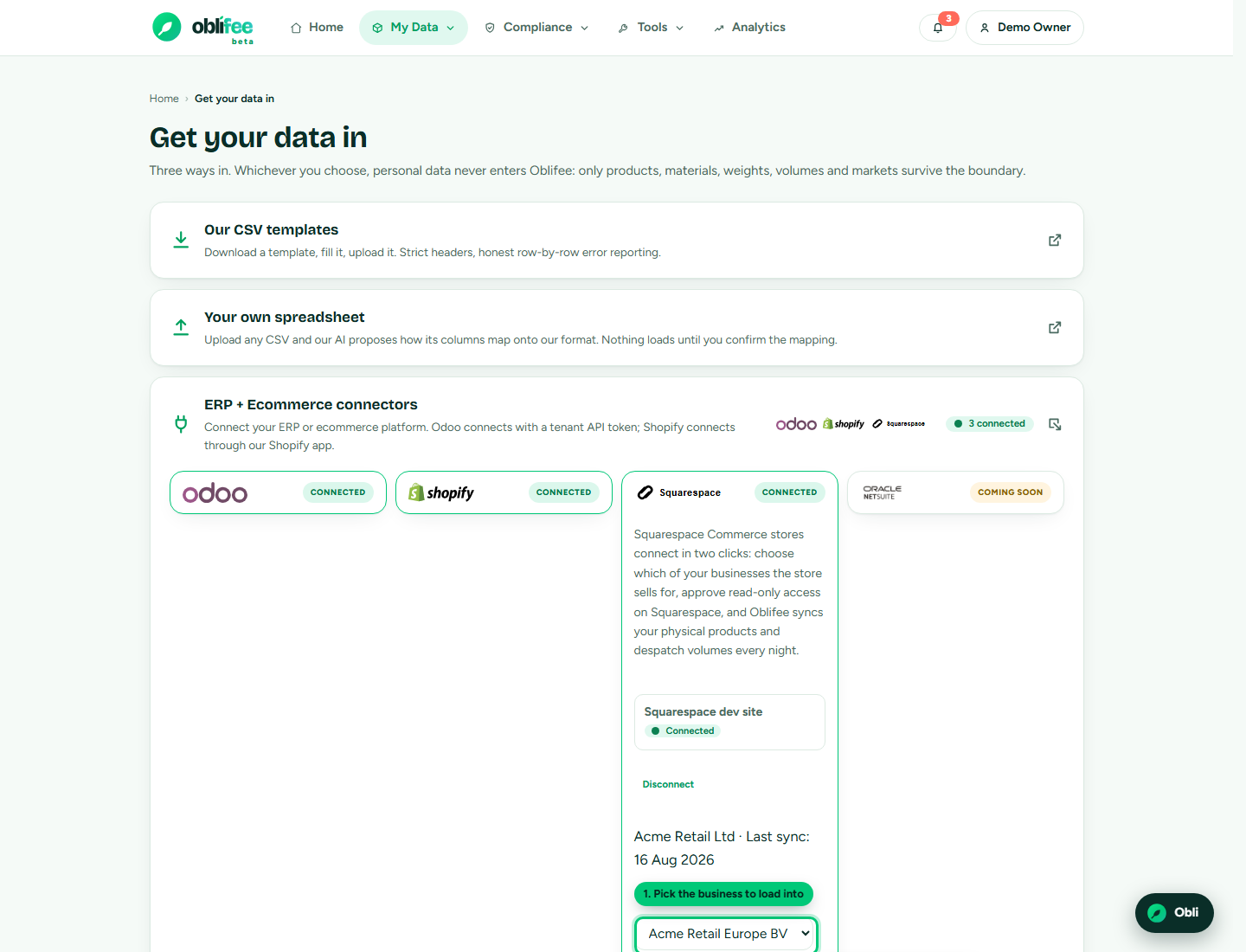
- In Oblifee, open Imports and the connectors panel.
- In the Squarespace entry, choose which business the store's data should load into, and start the connection.
- You are taken to Squarespace to approve read-only access to your products and orders.
- Approve it, and you land back in Oblifee with the site linked. The first sync runs overnight.
:::note Keeping the link alive Squarespace access is short-lived and refreshes behind the scenes; the nightly sync doubles as the keep-alive. If a store goes untouched long enough for its authorisation to lapse, Oblifee marks it needs reconnect in the import centre - just start the connection again. :::
Disconnecting
To stop syncing a site, use Disconnect on its entry in the import centre. This removes the link and its stored credentials from Oblifee. The products and volumes already synced remain in your workspace; reconnecting starts fresh syncs again.
Entitlement is checked on every sync, not only when you connect: if the Connectors add-on lapses, syncing stops but the link is kept, and it resumes when the add-on does.
Where to go next
- Integrations & API overview - all the ways to connect.
- Shopify - the equivalent for Shopify merchants.
- REST API - push data from an ERP or custom system instead.
- Volumes - how synced quantities drive your fees and thresholds.